Deploy your AI Agent in 1-Click – Managed  Hermes Agent Hosting  starts from $9.99

Changelog

xCloud Changelog

We’re constantly making xCloud better with new features and improvements. Look at what we’ve got now and tell us what else you want!

  • No categories

🔥 New Feature

Deploy via Git through the xCloud API

You can now detect a repository’s application type and deploy Git-based projects through the xCloud Public API.

  • Detect supported projects before deployment.
  • Deploy GitHub, GitLab, and Bitbucket repositories through API-powered workflows.
  • Receive clearer guidance when repository access, deploy keys, DNS, or configuration requires attention.
  • Use the same guided deployment flow through xCloud MCP and compatible AI tools.

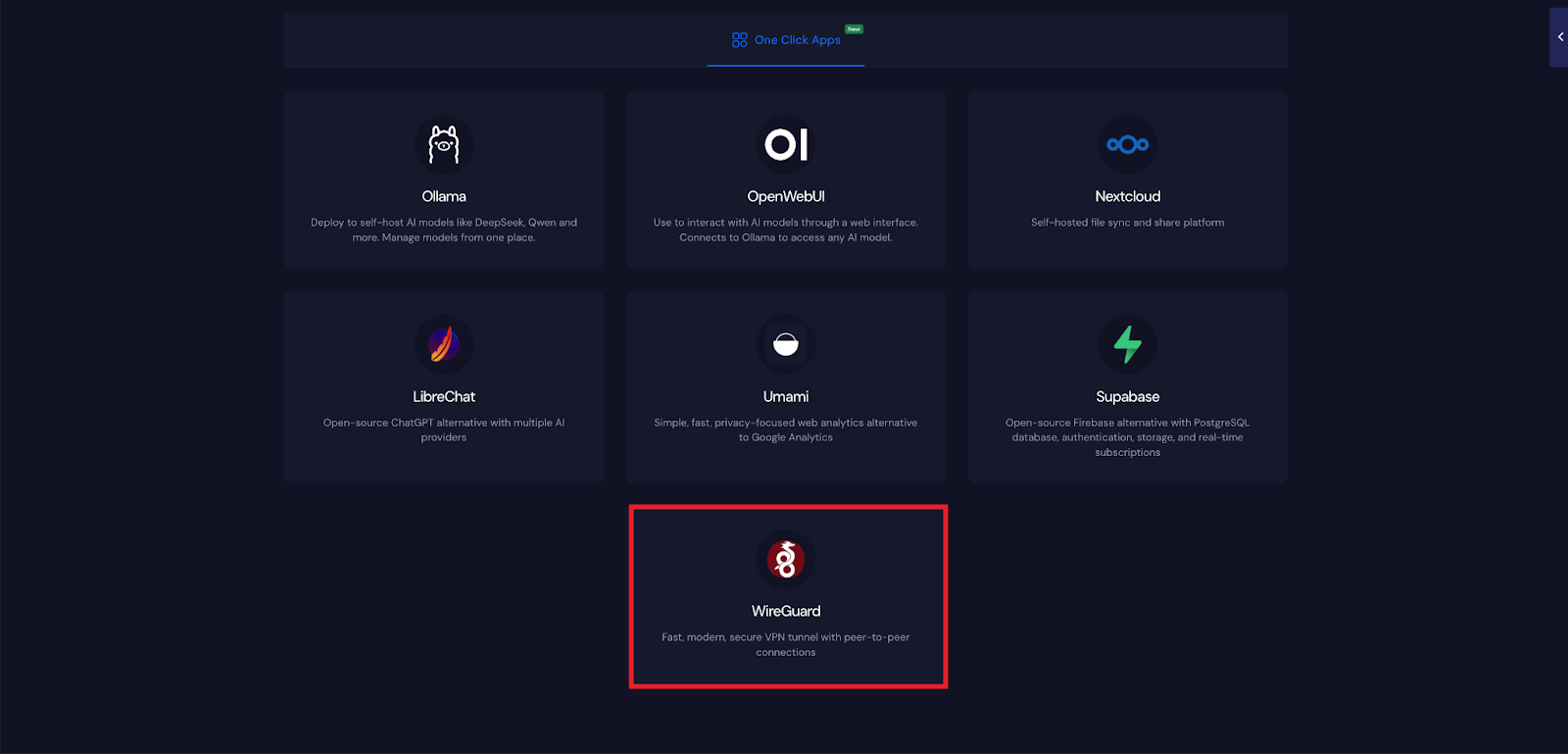
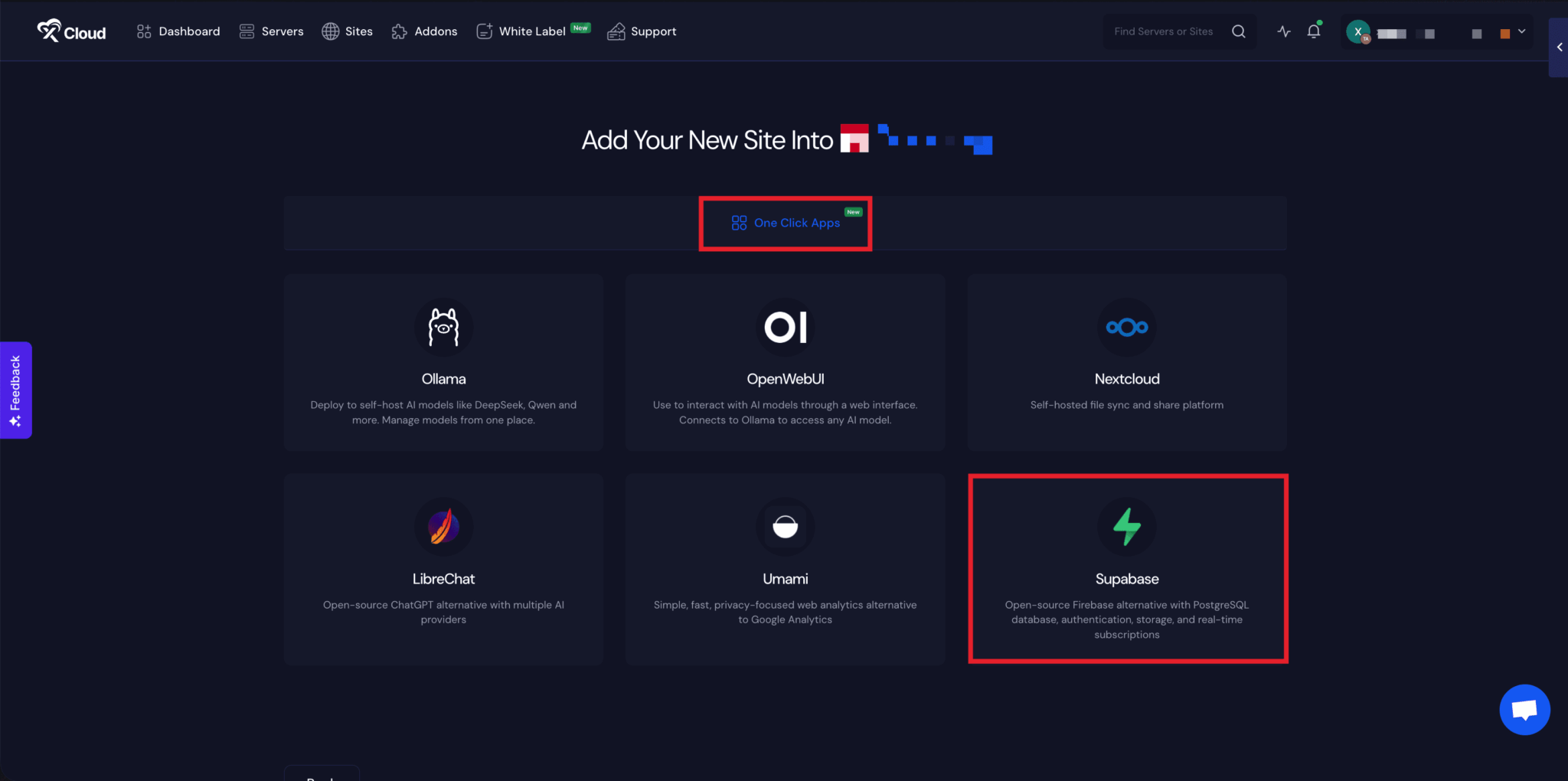
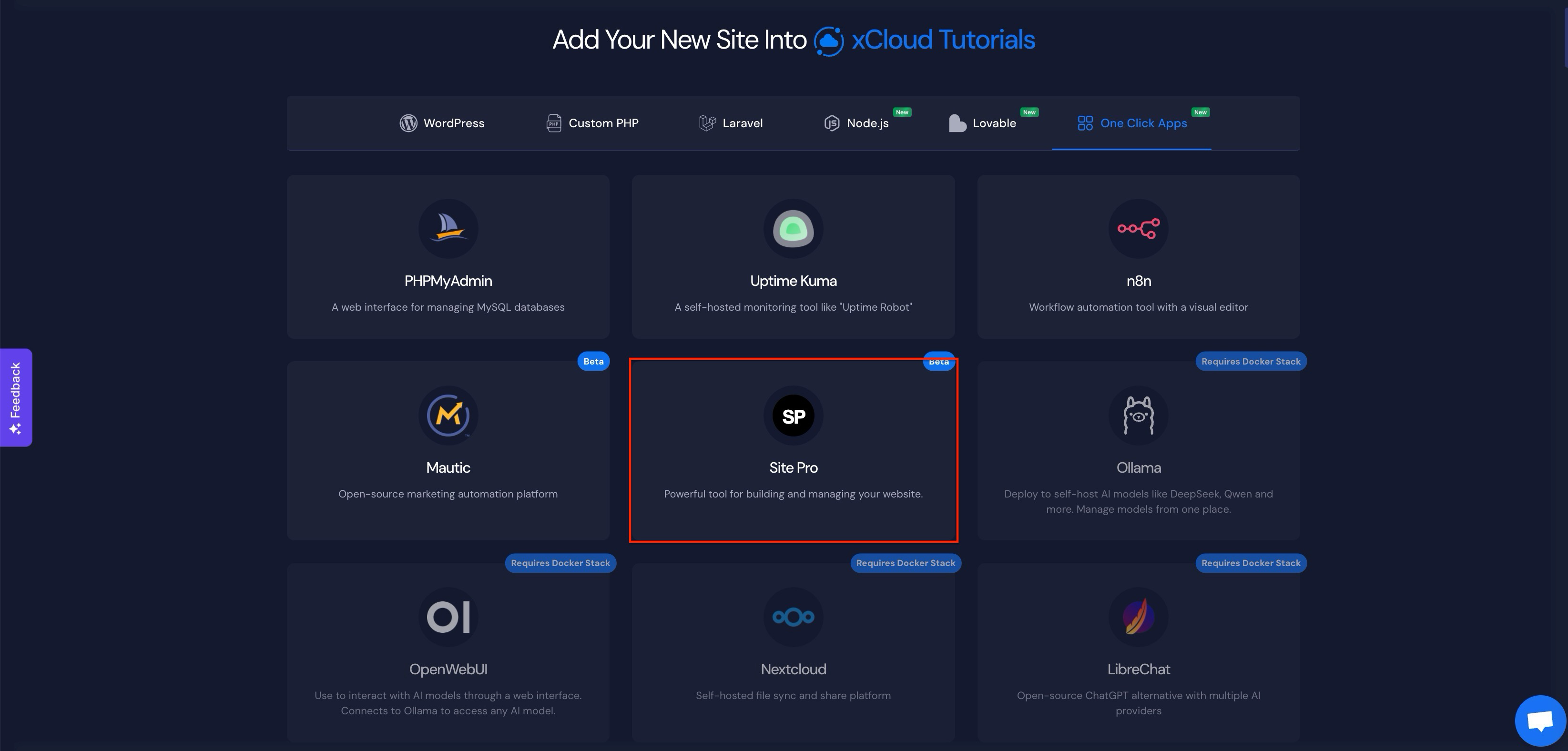
A redesigned OneClick App catalog

The OneClick App catalog now makes it easier to discover and compare supported applications.

  • Browse apps by category.
  • Search and filter the catalog more quickly.• Switch between grid and list views.
  • See clearer service names and compatibility information before installation

✨ Improvements

  • Webmail password self-service – Mail users can now change their own webmail passwords. xCloud also provides clearer guidance when a changed webmail password must be updated in the xCloud panel.
  • Public API and MCP responses now provide actionable recovery guidance instead of only generic errors.
  • Git deployment setup now displays the deploy key and explains when xCloud cannot add it automatically.
  • Server suspension notes now provide clearer billing context for outstanding invoices.
  • OneClick App cards have improved labels, badges, categories, and filtering.
  • Backup defaults are selected more accurately for sites with or without a database.

🐛 Bug Fixes

  • Fixed Docker deployments failing because of host-port conflicts left by older containers.
  • Fixed Basic Authentication for Node.js sites.
  • Fixed PHP and Nginx upload-limit synchronization, including unlimited values.
  • Fixed service controls using incorrect identifiers for Redis and other managed services.
  • Fixed backups incorrectly reporting harmless liveness output as an error.
  • Fixed shared-domain DNS records not being fully removed after site deletion.
  • Fixed private repository access, branch detection, deploy script, and configuration handoff issues.
  • Fixed backup scheduling errors caused by incomplete frequency settings.
  • No categories

🔥 New Features

Cloudflare Enterprise

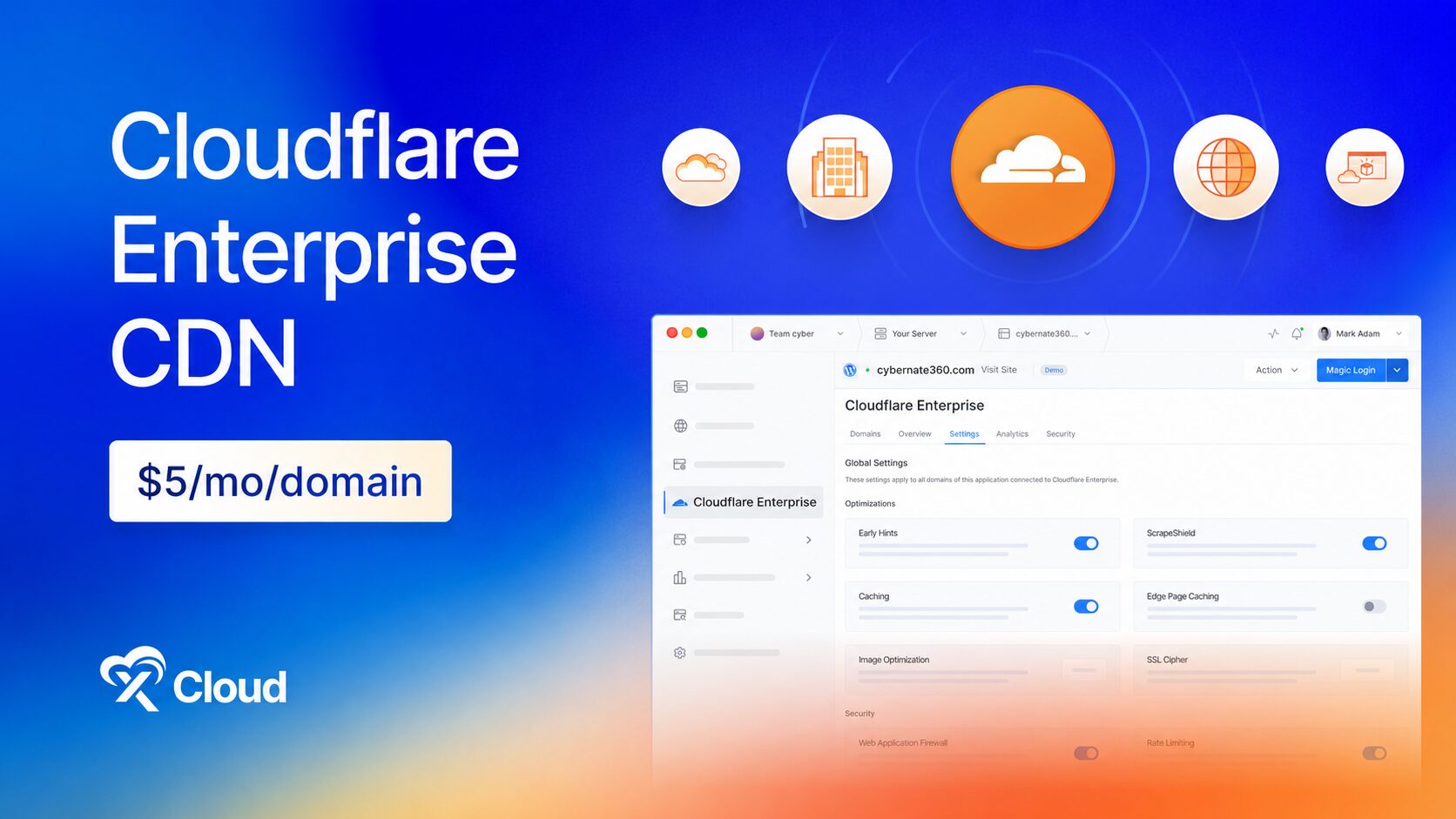
Cloudflare Enterprise is now available on xCloud as a per-domain add-on. You get the same enterprise network the largest brands run on, fully managed by xCloud, for a flat $5 per domain, per month. No Cloudflare account, no enterprise contract, and no DNS work on your side.

Turn it on per domain from Addons → Cloudflare Enterprise, or directly from a site. xCloud handles the zone setup, the certificate, and the routing.

  • Serve your site from Cloudflare’s global network across 330+ locations.
  • Pay a flat $5 per domain, per month, with no traffic-based charges.
  • Get managed SSL on every domain you enable.
  • Full page caching at the edge, so visitors are served from the location closest to them.
  • Early Hints, so browsers start loading assets before the page response arrives.
  • Automatic image optimization, in lossy or lossless mode.
  • One-click cache purge across the whole network.
  • Enterprise WAF that blocks SQL injection, XSS, and zero-day attempts in real time.
  • Advanced DDoS protection at the edge, before traffic reaches your server.
  • Browser Integrity Check and one-click Under Attack Mode for when you are being targeted.
  • Crawler blocking to stop AI bots from scraping your content.
  • Real-time request and data transfer analytics, including Cloudflare-served versus origin traffic.
  • Cache performance and top countries, so you can see where your traffic comes from and how much of it never touches your server.

🌟 30+ One Click Apps: Self-Host Your Whole Stack in a Couple of Clicks

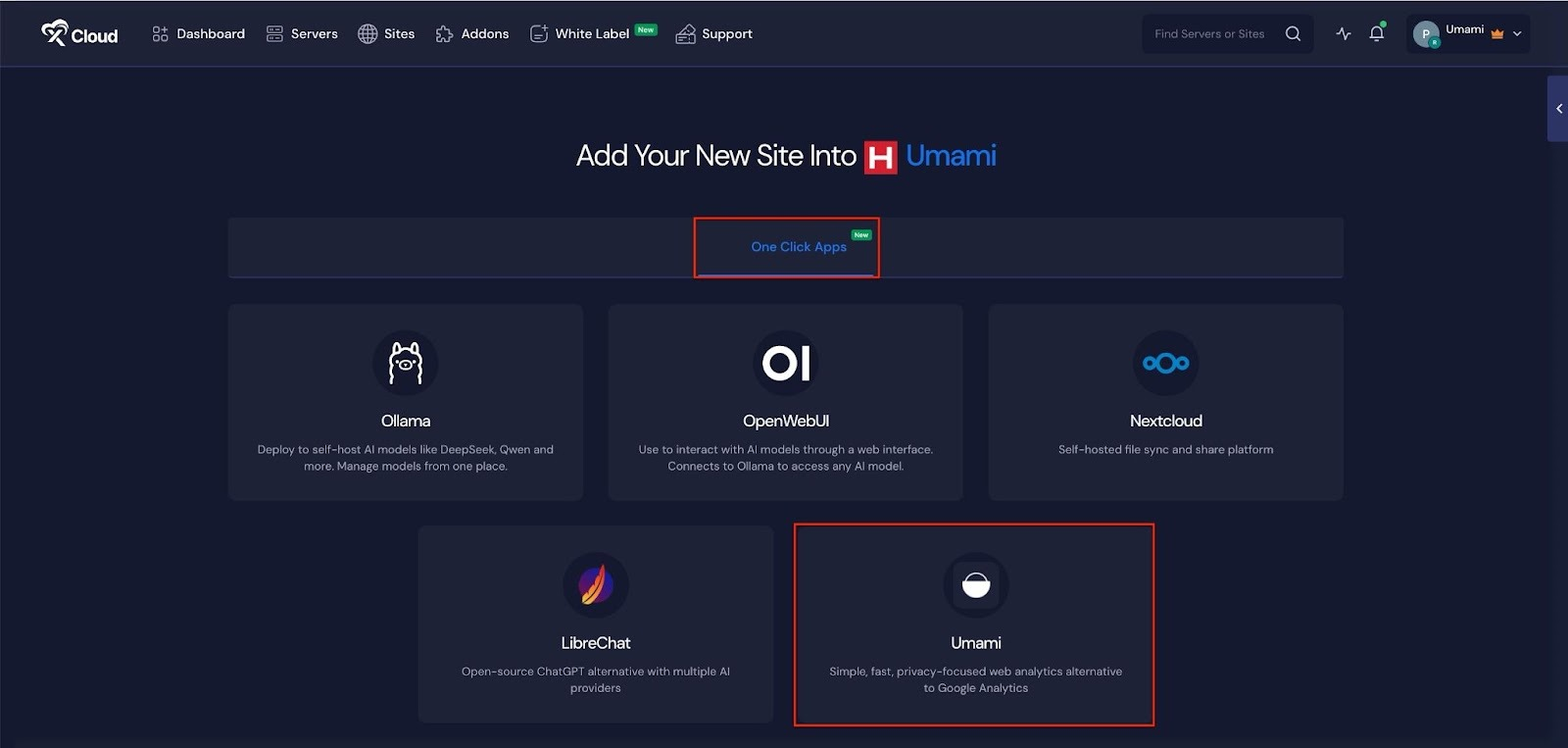
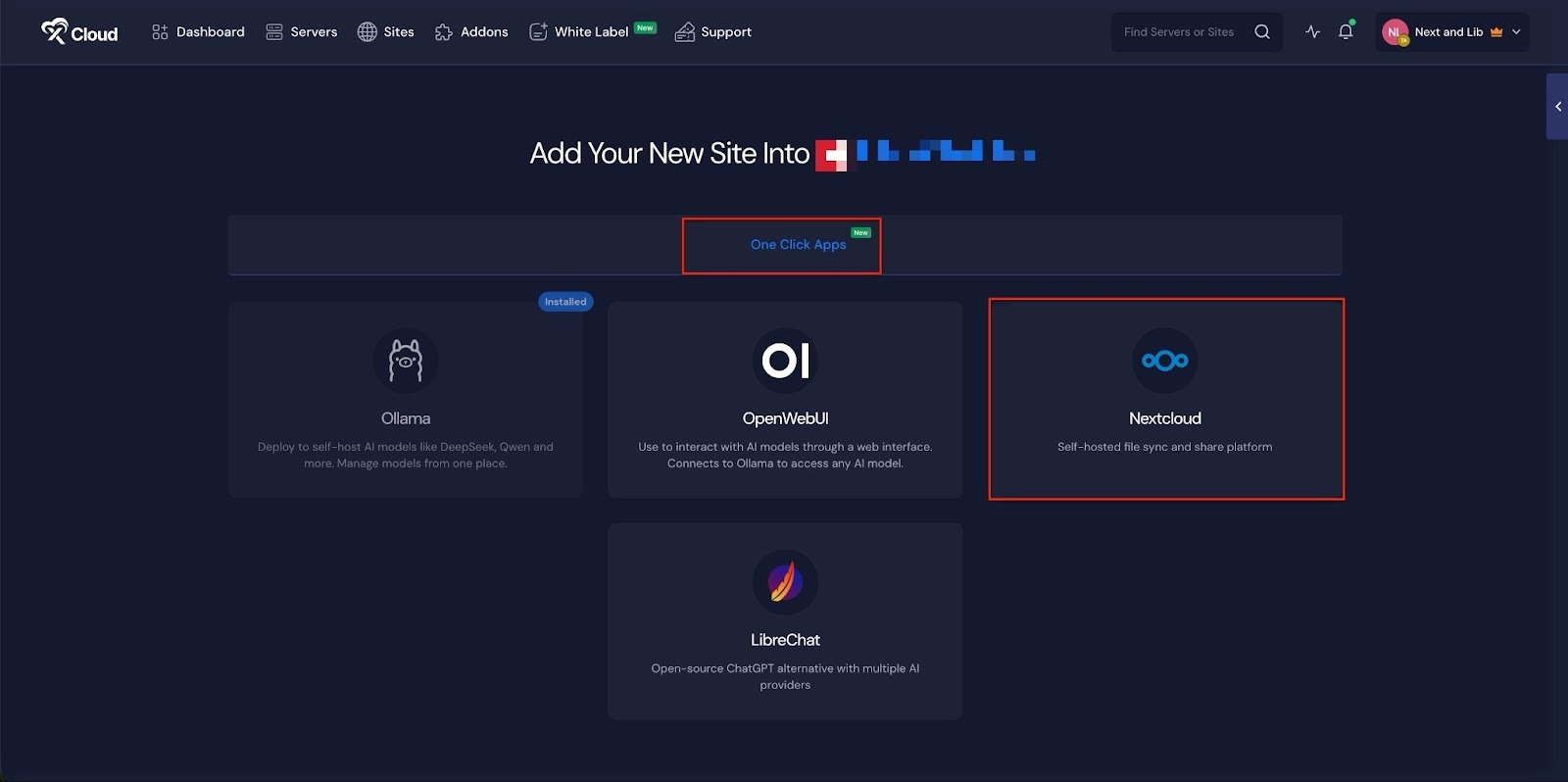
We’ve added a big batch of new apps to xCloud One Click Apps, so you can now self-host search, analytics, docs, BI, automation, passwords, media, Git, and more, all in a couple of clicks. Pick an app and xCloud handles the setup, SSL, and config for you. With this release, we now support 30+ one click apps.

🆕 New Apps

  1. Redis In-memory data store for caching, queues, and fast key-value workloads.
  2. Moodle Open-source LMS to build courses, run quizzes, and track grades on your server.
  3. BookStack Open-source wiki and documentation platform for team knowledge bases, SOPs, and internal docs.
  4. Excalidraw Virtual whiteboard for hand-drawn-style diagrams, wireframes, and flowcharts. Runs entirely in the browser — fast, private, and works offline once loaded.
  5. Metabase Open-source business intelligence — connect your databases, ask questions in a friendly UI or SQL, and build shareable dashboards. No per-seat pricing, your data stays on your server.
  6. Matomo Privacy-first, self-hosted web analytics with full data ownership, visitor insights, goals, campaigns, and tag management.
  7. Vaultwarden Lightweight, Bitwarden-compatible password manager server. Works with all official Bitwarden apps and browser extensions.
  8. Gitea Lightweight self-hosted Git forge with repos, pull requests, issues, packages, and Actions-compatible CI workflows. Ships SQLite + HTTPS cloning out of the box.
  9. Meilisearch Lightning-fast, typo-tolerant search engine — an open-source Algolia alternative for apps and websites.
  10. Odoo Community Open-source business suite with modular CRM, sales, invoicing, inventory, project, website, and e-commerce apps.
  11. Qdrant Vector database and similarity-search engine for semantic search, recommendations, embeddings, and RAG. Includes REST APIs and a web dashboard.
  12. Plane Open-source project management for issues, cycles, modules, pages, and team workspaces.
  13. Paperless-ngx Open-source document management with OCR, full-text search, tagging, and automated organization.
  14. Listmonk High-performance, self-hosted newsletter and mailing-list manager with subscriber segmentation, campaign analytics, templates, and a REST API.
  15. Keycloak Open-source identity and access management with single sign-on, OpenID Connect, OAuth 2.0, SAML, user federation, and multi-factor authentication.
  16. Jellyfin Free, open-source media server for organizing and streaming movies, TV, music, photos, and live TV to web, mobile, and TV clients — no subscriptions or premium gates.
  17. Hoppscotch Open-source API development workspace for REST, GraphQL, realtime protocols, collections, environments, and teams.
  18. draw.io Private browser-based diagramming for flowcharts, architecture diagrams, UML, network maps, and more. Stateless server with files saved or exported by the user.
  19. Discourse Open-source community platform for discussions, support forums, knowledge sharing, and long-form conversations.
  20. Databasus Self-hosted database backup console for PostgreSQL, MySQL, MariaDB, and MongoDB with schedules, retention, encrypted storage, notifications, and restore workflows.
  21. changedetection.io Self-hosted website change monitoring for prices, inventory, policy pages, releases, and other web content, with configurable alerts and change history.
  22. Appsmith Open-source low-code platform for building internal tools, admin panels, dashboards, and database-backed workflows with a visual editor, JavaScript, APIs, and data-source integrations.
  23. Actual Budget Privacy-focused, local-first personal finance and envelope budgeting with reports, sync, optional bank import, and optional end-to-end encryption.
  24. Activepieces Open-source workflow automation with a visual builder, AI agents, and hundreds of integrations.
  25. Linkding Fast, lightweight self-hosted bookmark manager with tags, search, browser extensions, import/export, and an authenticated REST API.
  26. Wiki.js Modern open-source knowledge base with access control, search, and collaborative editing.
  27. Wallos Self-hosted subscription tracker for recurring payments, renewal dates, categories, currencies, statistics, and configurable notifications.
  28. Shiori Lightweight self-hosted bookmark manager with full-text search, tags, import/export, browser extensions, and offline webpage archiving.
  29. PrivateBin Zero-knowledge encrypted pastebin for expiring text, code, and password-protected links. Encryption and decryption happen in the browser.
  30. pgAdmin Web-based administration for PostgreSQL, with a secure initial administrator account and persistent server definitions, preferences, sessions, and user files.
  31. ntfy Private push notifications for scripts, apps, and infrastructure. Publish over HTTP and receive alerts in the web UI or ntfy mobile apps.
  • No categories

🔥 New Features

xCloud MCP

🎉 xCloud MCP is here. Connect Claude, Claude Code, Cursor, ChatGPT, Gemini, VS Code, Windsurf, or any MCP-compatible client to your xCloud account and manage your servers and sites through a conversation instead of the dashboard.

Describe what you want in plain language and your AI assistant handles it against your real infrastructure:

  • Create sites and spin up new environments from a single prompt.
  • Deploy without leaving the editor or chat you are already working in.
  • Ask why a deploy failed and get pointed to the actual cause.
  • Compare staging and production to see what is different.
  • Check PHP versions, server load, and site status across everything you run.
  • Manage databases, SSL, and server resources without opening a tab.

✨ Improvements

  • Site User is now visible and editable during the Deploy via Git workflow.
  • Renamed Automatic Delete to Backup Retention for clearer backup management.

🐛 Bug Fixes

  • Fixed an issue related to the double-clicking Deploy could create duplicate sites for the same domain.
  • Fixed OpenLiteSpeed www redirects to correctly return HTTP 301 responses.
  • Fixed deployments stuck related issue.
  • Fixed team switching so servers and sites update immediately without requiring a page refresh.
  • Fixed Codex OAuth login compatibility for the valid OpenAI accounts.

  • No categories

xCloud v2.7.4 introduces the Buzz OneClick App and OneClick App Templates, making it easier to deploy supported self-hosted applications on Docker Nginx servers. You can now run your own private Buzz workspace on xCloud with a guided setup, secure WebSockets, and persistent application data.

🔥 New Features

OneClick App Templates with 13+ new Apps

xCloud’s new OneClick App Templates provide a guided way to deploy supported Docker and Node.js applications. xCloud manages the required credentials, ports, configuration values, and template version used during installation.

📌 Install supported applications through a guided setup flow instead of manually preparing Docker Compose files.
📌 Keep installations more predictable with template versions pinned during setup.
📌 Generate and manage required credentials, ports, and configuration values during installation.

Buzz OneClick App Deployment

Buzz OneClick App deployment with xCloud OneClick App Templates

You can now deploy Buzz as a OneClick application on compatible Docker Nginx servers. Buzz is a self-hosted workspace where teams and AI agents can collaborate in shared rooms, work with Git, and communicate through signed events.

Buzz OneClick App Setup on xCloud

📌 Launch your own Buzz relay with a custom domain and secure WebSocket connection.
📌 Connect through the Buzz desktop app or CLI using your own wss:// relay URL.
📌 Run Buzz with PostgreSQL, Redis, and media storage configured automatically.
📌 Start with a private, membership-controlled relay using your supplied Nostr public key as the owner.
📌 Keep relay data, media uploads, Git repositories, and application data on persistent storage.

The Buzz OneClick App is available for compatible Docker Nginx servers in xCloud. Choose the Buzz template, connect a custom domain, provide the relay owner public key, and let xCloud prepare the required application services and configuration.

What does the Buzz OneClick App install?

The Buzz template configures the Buzz workspace with PostgreSQL, Redis, media storage, persistent volumes, and WebSocket-ready Nginx proxy handling so teams and AI agents can collaborate through a secure relay.

🐛 Improvements

📌 OneClick applications now include controls to start, stop, restart, redeploy, and manage environment configuration after installation.

📌 Improved compatibility checks help prevent templates from being installed on unsupported server stacks.

📌 WebSocket-ready proxy handling makes applications such as Buzz available securely through your xCloud domain.

🐛 Bug Fixes

📌 Improved reliability when WordPress updates time out, so sites are less likely to remain stuck in an in-progress update state.

📌 Improved n8n update handling to reduce the risk of an incomplete application replacement.

📌 Fixed billing and mailbox recovery cases so paid services and billing details are reflected more accurately.

  • No categories

xCloud v2.7.3 brings a smoother sign-in and checkout experience, stronger multisite wildcard SSL handling, more flexible Custom Nginx controls, and reliability improvements across the platform.

🔥 New Features

Social Login and Unified Checkout

Sign in with your Google or GitHub account, manage connected accounts, and complete purchases through a simpler unified checkout flow.

📌 Select the stack and product options you need while checking out.
📌 Purchase multiple eligible items in a single checkout.

Custom Nginx Toggle

Enable or disable an individual Custom Nginx rule without deleting its configuration. Disabled rules keep their settings, so they can be re-enabled whenever needed.

Region-Based Vultr Plan Availability

When creating a Vultr server, xCloud now checks plan availability for your selected region before provisioning begins.
This helps identify unavailable plans earlier in the server-creation process.

🐛 Improvements

📌 Improved managed wildcard SSL issuance for WordPress multisite subdomain networks, with clearer DNS validation and certificate coverage checks.

📌 Improved the Site Git settings page with clearer action hierarchy.

📌 Updated the web and SSH terminal welcome banner for more accurate colour rendering.

🐛 Bug Fixes

📌 Fixed an issue where Magic Login could fail for imported or connected WordPress sites without a configured admin username.

📌 Fixed Magic Login compatibility with the 8G Firewall on OpenLiteSpeed servers.

📌 Fixed an issue where disabling a site could overwrite a customised maintenance page.

📌 Fixed File Manager edit links for filenames containing spaces or special characters.

📌 Fixed phpMyAdmin disable failures so they remain visible and can be retried.

📌 Fixed notification settings so disconnected integration channels clearly show that they must be connected first.

📌 Fixed cases where an unavailable or stale Nginx installation state could affect upgrade handling.

📌 Improved the billing selector layout for purchased packages.

  • No categories

xCloud v2.7.2.2 adds GPT-5.6 support for AI agents and improves deployment, monitoring, WordPress update, and dashboard reliability.

🔥 New Features

🆕 GPT-5.6 Support for AI Agents

You can now use GPT-5.6 with Hermes, OpenClaw, and Paperclip on xCloud.

  • GPT-5.6 Sol, Terra, and Luna models are now available where supported.
  • Agent provider settings now make it easier to use the recommended default model or keep a custom model selection.

⚡ Improvements

  • Improved Git deployments for Laravel and Custom PHP projects. You can configure the web root more easily, and custom environment variables are saved correctly during deployment.
  • Improved WordPress update information so the Updates page refreshes the current version and last checked time more accurately.
  • Improved site icons in the dashboard with more reliable favicon handling and fallbacks.
  • Improved monitoring reliability for newly provisioned servers, even before the first site has been created.

🐛 Bug Fixes

  • Fixed an issue that could cause temporary network interruptions to trigger false server-disconnected alerts. xCloud now rechecks the server before sending an alert.
  • Fixed agent service restart actions for Hermes, OpenClaw, Paperclip, and white-label agent services.
  • Fixed an issue that could cause errors when working with sites linked to unavailable or deleted servers.
  • Fixed a backup settings issue that could affect backup information loading in some cases.
  • Fixed issue with server location display

No action is required. These improvements and fixes are being applied automatically.

  • No categories

🔥 New Features

The old source we used for Nginx is out of date and no longer gets new versions. Now you can move your servers to the official Nginx with a single click. Just click on the ‘Upgrade Nginx’ button from the banner of your dashboard and xCloud does the rest in the background. Your sites stay online the whole time. If something goes wrong, it undoes the change by itself, so it’s completely safe to try. New servers already come with the official Nginx built in.

  • New servers use the official Nginx, with all the features included.
  • Your sites stay online during the whole upgrade.
  • If the upgrade fails, it rolls back on its own, so nothing breaks.

🐞 Bug Fixes

  • Fixed an issue related to the server deletion failed.
  • No categories

🔥 New Features

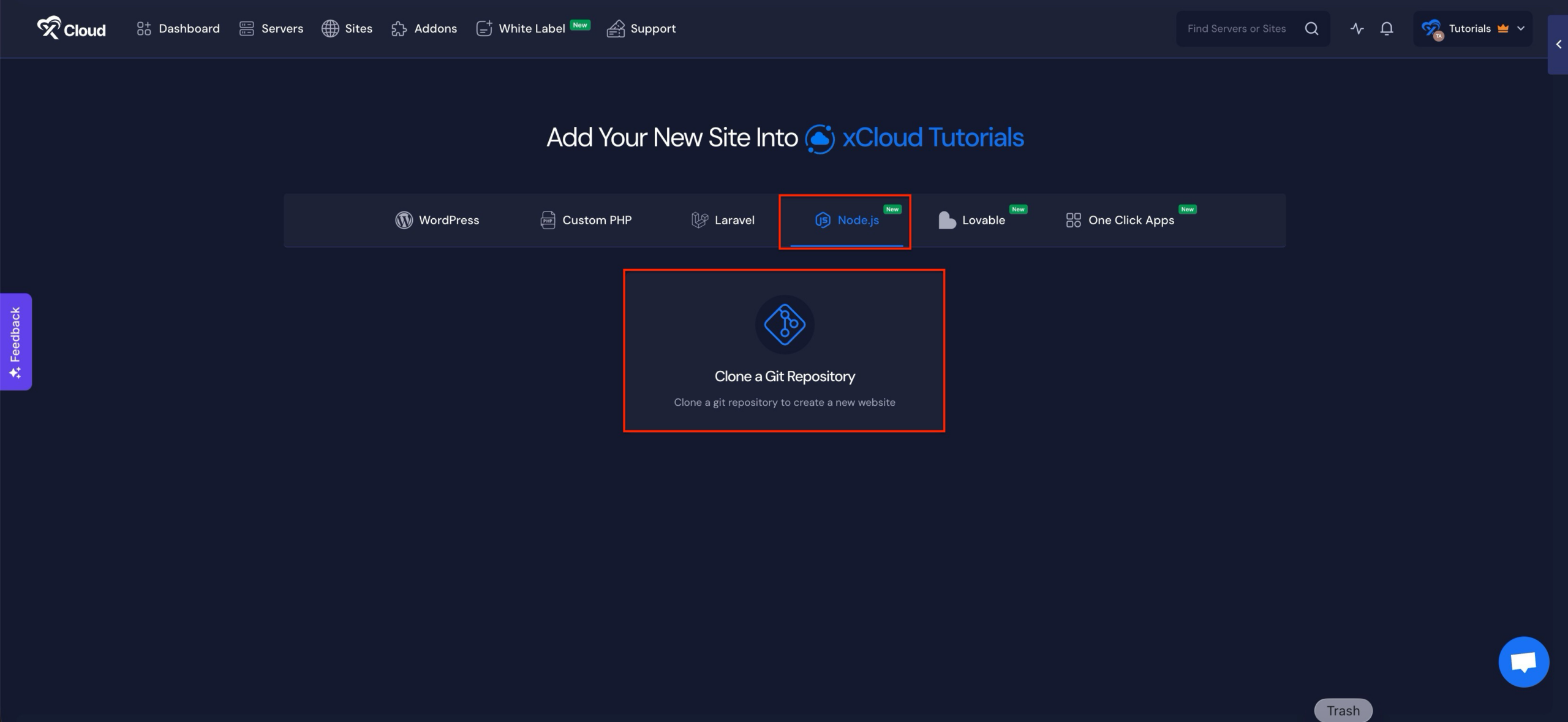
🌟 One-Click Deploy From Git: The Fastest Way to Ship Any Project on xCloud

Deploy any Git project, WordPress, Laravel, Node, Docker, or anything else, through one simple flow. Drop in a repo and AI handles the rest: it reads your project, detects the app type, branch, and runtime, writes the deploy script, and ships it. Setup takes seconds, not hours.

  • Deploy public or private repos. Paste a URL, or just type a name like “Chatwoot” and pick the official repo from the results.
  • App type, branch, and runtime detected automatically, all pre-filled and fully adjustable before you ship.
  • AI-written deploy script based on what’s actually in your repo. Edit or regenerate anytime.
  • Auto-deploy on push. Connect your repo and every new commit ships itself.
  • Docker handled automatically. We read your compose file and give every service its own domain.
  • Environment variables sorted for you. We use your repo’s sample first, and AI fills the gaps when there isn’t one.
  • One flow for every project type. Setup takes seconds instead of hours.

🐞 Bug Fixes

  • Restored automatic Redis installation during new server provisioning.
  • Fixed provisioning failures for database names containing hyphens.
  • Improved WordPress installation reliability with verified ZIP downloads.
  • Fixed incorrect Webhook Inactive status reporting on Hermes servers.

🔖 Resources

  • No categories

xCloud v2.7.0 brings a more powerful AI Bot Blocker, stronger backup reliability, smoother n8n provisioning, and several improvements across site management, billing, search, and documentation.

🔥 New Features

🆕 AI Bot Blocker Management Got Smarter

We’ve upgraded the AI Bot Blocker from a simple on/off option into a full management experience for your sites. You can now view the default AI bot blocklist, allow selected bots, and add custom bots to block directly from the Web Server Security page.

Major updates are:

  • View the full built-in AI bot blocklist.  
  • Add bots to an allowlist when you want to let specific AI crawlers access your site.  
  • Add custom bots to your own blocklist.  
  • Search and select multiple bots at once for faster management.  
  • Works with both Nginx and OpenLiteSpeed sites.

This gives you more control over how AI crawlers interact with your websites while keeping the default protection easy to manage.

⚡ Improvements

  • Added a new Custom Nginx `main_location` option, allowing advanced users to add custom rules inside the main PHP app location block.
  • Improved global search so sites can be found even when you paste a full URL like `https://example.com/`, not just the plain domain.
  • Improved several UI areas, including profile avatar visibility, server creation cards, mobile layouts, analytics controls, and white-label product editing.
  • API documentation has been standardized with OpenAPI YAML and Scalar for a cleaner, more consistent developer documentation experience.

🐛 Bug Fixes

  • Fixed an issue where the dashboard could show incorrect or stale “Next Backup” times. Backup schedules are now calculated from the active site-level backup settings.
  • Fixed inherited backup exclude paths for newly created and migrated sites, so backup exclusions are carried over correctly.
  • Fixed an issue where sites using remote backups could incorrectly appear as active under the Local Backup tab.
  • Improved backup delete handling so xCloud now reconciles backup records correctly even when the remote storage is already clean.
  • Improved n8n provisioning by moving long installation tasks into the long-running provisioning flow, reducing queue timeout issues.
  • Hardened n8n PM2 startup and update handling to reduce recurring 502/503 errors after updates.
  • Added proxy trust configuration for n8n behind the xCloud Nginx reverse proxy.
  • Cleaned up fallback n8n PM2 configuration handling.
  • Fixed WordPress staging clone failures caused by file ownership issues after `rsync`.
  • Improved domain update handling so partially completed server rename states can be detected, rolled back, or resumed more safely.
  • Fixed duplicate white-label renewal invoices when users retried failed “Renew Now” attempts.
  • Improved the Managed Server “Continue Setup” flow so users who already purchased eligible plans can continue deployment correctly.
  • Added stronger validation for cloud provider credential labels to prevent invalid provider saves.
  • Enterprise and Public API documentation now use a more consistent OpenAPI YAML structure.
  • No categories

🔥 New Features

🌟 xCloud AI Agent Skills: Manage Your Servers and Sites With Plain Language

Take full control of your servers and sites by describing what you want in plain language, and let the skills handle the xCloud Public API calls in the background with enterprise-grade security. The skills are agent-agnostic: they work with any MCP-compatible AI coding agent, including Claude, Codex, Grok, and others. Create a token in your dashboard settings, install the skills in your agent, and start in about a minute.

  • Create a fully configured site with a single prompt, no dashboard required.
  • Check the status of any server or site with a single prompt.
  • Manage servers, PHP versions, databases, and firewall rules in plain language, on demand.
  • Run WordPress updates, vulnerability scans, SSL setup, and site backups just by asking.
  • Pull live server and site data into workflows you already use.
  • Included with your xCloud account at no additional cost.
  • Enterprise-grade security: token-based, permission-scoped access on every request.

✨ Improvements

  • Improved flash message appearance and timing for cleaner, less distracting alerts.
  • Streamlined setup for agentic-only teams by hiding manual site creation.

🐛 Bug Fixes

  • Fixed an issue related to the support tickets page.
  • Fixed the client reports logo issue, which was not displaying properly.
  • Fixed server monitoring so CPU usage now shows accurately.
  • Fixed an error that could cause the team management page to fail to load.